Microsoft Clarity for Hotels: A Guide
Use free Microsoft Clarity session recordings and heatmaps to discover why guests leave your hotel booking engine, eliminate rage clicks, and lift direct sales.
Key Takeaways at a Glance
Travel Booking Abandonment
81% - 85% (SaleCycle Travel Benchmark)
Checkout Usability Score
>65% Mediocre or Worse (Baymard)
Typical Drop-Off Window
Under 3 Minutes on Rate Screen
Tool Cost to Uncover Bugs
€0 (Free & GDPR Compliant)
- 1.What Clarity reveals that Google Analytics cannot
- 2.The four behavioral signals that predict booking abandonment
- 3.Rage clicks: the silent killers of direct hotel revenue
- 4.Mobile session recordings: the highest-ROI hour of your month
- 5.Heatmaps: what hoteliers discover on their first review
- 6.How to send a Clarity recording URL to a developer as evidence
- 7.Fixing the direct funnel from discovery to check-in
What Clarity reveals that Google Analytics cannot
Google Analytics 4 is effective at telling you what happened: it will inform you that 1,200 people arrived on your website last week, 300 entered your booking engine, and only 18 completed a reservation. What web analytics cannot tell you is why the other 282 guests walked away, which is where behavioral analytics platforms like Microsoft Clarity become essential.
Did they abandon because your room rates were too expensive? Or did they leave because your date-selection calendar broke on iOS devices, freezing their phone screen when they tried to select a check-in date? Microsoft Clarity bridges this gap. It is a completely free, GDPR-compliant behavioral analytics tool that records anonymous user sessions and generates interactive click heatmaps.
Instead of guessing why your direct conversion rate is lagging, you can sit down with a cup of coffee and watch actual recordings of prospective guests attempting to navigate your website and booking engine.
The four behavioral signals that predict booking abandonment
Clarity uses machine learning to automatically flag four distinct frustration signals in user sessions. Hoteliers should focus on these indicators above all else:
- Rage Clicks: Instances where a user rapidly clicks or taps the exact same element five or more times in a matter of seconds. This is the universal digital signal of user frustration.
- Dead Clicks: Clicks on elements that look interactive (such as a room photo, an amenity badge, or a price tag) but produce no response or link.
- Excessive Scrolling: Rapid, erratic scrolling up and down a page, indicating that the guest is desperately searching for vital information (such as parking fees, breakfast hours, or cancellation terms) that is buried or missing.
- Quick Backs: When a visitor navigates to a subpage and clicks back within seconds, showing that the page failed to match their expectation.
Course
Hotel Direct Revenue and Digital Performance Masterclass
Monitor yourself. Decide better. Do better.
Rage clicks: the silent killers of direct hotel revenue
When independent hoteliers install Clarity, rage clicks on the booking calendar are almost always the first major defect uncovered. Modern booking engine widgets are notoriously fragile across different mobile browsers and screen sizes.
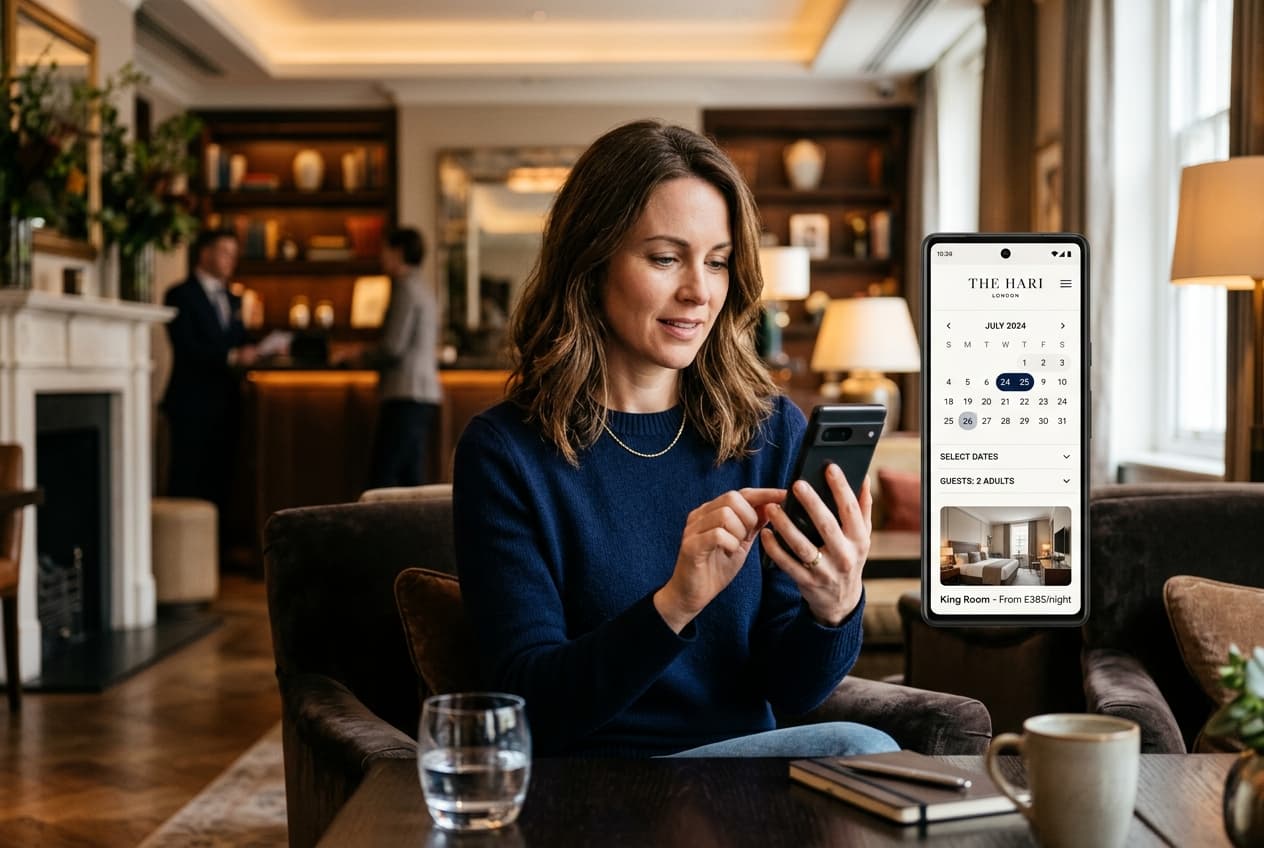
A guest might tap on 'July 14th', but due to an uncalibrated touch target or an overlapping sticky header, the tap registers on the month arrow instead, jumping the calendar ahead to August. The guest taps again, the screen fails to respond, they rage-click three times, give up, close the tab, and book your competitor on Booking.com.
Baymard Institute's checkout usability research across e-commerce and travel sites consistently finds that a majority of checkout flows score mediocre or worse on usability — and that fixing interface and form problems, not lowering prices, is what recovers the lost conversions.
The Cost of Invisible Bugs
A single broken button in a mobile booking engine can silently cost a 25-room hotel several thousand euros in lost direct reservations every single month while remaining completely undetected by the management team.
Mobile session recordings: the highest-ROI hour of your month
If you manage an independent hotel, spending 45 minutes once a month watching mobile session recordings is more valuable than reading a 40-page agency marketing report. Filter Clarity recordings by 'Device: Mobile' and 'Pages: /book or /checkout'.
Watch where users hesitate. Notice how long it takes them to fill out the guest contact fields. Observe whether your third-party cookie consent banner blocks the 'Check Availability' button on smaller smartphone screens. These real-world usability obstacles are invisible during desktop testing but create massive conversion friction for paying guests.
Heatmaps: what hoteliers discover on their first review
Clarity generates aggregated click and scroll heatmaps across your key pages. On a hotel homepage, hoteliers almost universally discover two surprising behavioral patterns:
First, guests completely ignore lengthy introductory paragraphs about the hotel's heritage or poetic architecture. Heatmaps show that user clicks cluster intensely around three specific elements: the room photo gallery, the location map, and the direct price check button.
Second, scroll heatmaps typically show that the vast majority of mobile visitors never scroll past the second screen fold. If your direct booking guarantee or room category selector is positioned below three paragraphs of marketing text, the majority of your mobile visitors will never even see it.
| Behavioral Signal Observed | Underlying Usability Problem | Immediate Operational Fix |
|---|---|---|
| Rage clicks on room thumbnail | Guest expects photo gallery popup; image is static | Make all room photography tap-to-expand with high-res gallery |
| Dead clicks on 'Free Parking' badge | Guest wants parking details (cost, EV charging, height) | Add interactive tooltip or link to parking details FAQ |
| Excessive scrolling on rate selection | Cancellation terms or breakfast inclusion unclear | Place bulleted inclusions directly beneath each rate tier |
| Drop-off at credit card step | Guest prefers Apple Pay or Google Pay over manual entry | Enable mobile digital wallet payments in your booking engine |
Scroll horizontally for full table →
How to send a Clarity recording URL to a developer as evidence
One of the greatest practical strengths of Clarity is communication. Traditionally, when a hotelier noticed an issue, they emailed their web developer saying: 'A guest told me the booking button did not work on their phone.' The developer tested it on their desktop Chrome browser, replied 'Works fine for me,' and closed the ticket.
With Clarity, every session recording has a shareable, timestamped URL. You can copy the link and email your web developer or booking engine provider with definitive proof: 'Here is a recording of an iPhone 15 user in Germany experiencing a calendar lockout at minute 01:14.' The developer can inspect the exact browser version, screen dimensions, and console errors, allowing them to patch the defect in minutes.
Fixing the direct funnel from discovery to check-in
Optimizing your direct channel is an iterative process. By combining quantitative data from GA4 with qualitative behavioral recordings from Microsoft Clarity, you gain total clarity over your guest journey.
Hotel Direct Revenue and Digital Performance Masterclass
Monitor yourself. Decide better. Do better. Access all study modules free, then take the exam to earn your certificate.